Featured

A New Start

One of my long-held ambitions is to invent general artificial intelligence in my spare bedroom.

I have not done this, and probably never will. For one thing, I no longer use my spare bedroom as a study.

Nevertheless, over the years I have played with ideas and code and restarted this blog a few times, without accomplishing much. And still I have the dream of one day holding a meaningful conversation with software of my own creation.

This will certainly never happen if I don’t put in some concerted effort, and since life is short (well, I hope not) I had better start now.

My plan is to start with the simplest possible ‘working models of brains’, to explore technologies and theories, and see where it takes me: not necessarily to anywhere useful, but in the hope it will at least be interesting.

This blog is intended as a record of what I play with, both to help me keep track and in case anyone else is interested (probably not).

If you are interested, you are welcome to follow, comment, and play along.

Parsing Progress

After the last post, I decided to rejig the internal architecture (which is now much cleaner) and to try making use of FrameNet for bridging between syntax and semantics.

However, FrameNet uses example sentences to link semantics to syntax, so to use the data, I really need a decent syntactic parser. So after some messing, I’ve done the obvious thing and plugged in Stanford Core NLP to handle parsing.

The dependency parser, it turns out, has very nice output that I can easily represent and navigate in RDF.

Next step is to work on reading the FrameNet example sentences and doing something with them.

Baby Steps in NLP

Having got the Bug model working again (which didn’t take long), I turned my attention to playing with natural language processing.

NLP is hard, and I’m not expecting any huge leaps in function from my tinkering. The intention is to do small bits of work in different areas, aiming to have enough function to support bootstrapping the next round of improvements.

I’m using a dump of Simple English Wikipedia as the main source of text to process.

Function Words

The first thing I worked on was scanning the text and identifying function words (the, is, it, etc — the most common words, and usually not in WordNet).

The procedure I ended up with was to take the 500 most common words and score them on a number of criteria:

  • frequency
  • rarely found at the end of a sentence
  • short words
  • does not appear to be a capitalised name
  • can’t be reduced by stemming to a word defined in WordNet
  • if it is in WordNet, has a small number of senses (some obvious function words, like ‘a’, do have entries in WordNet for various reasons)

Taking the highest scoring words yielded 72 function words. The list omits some words that occur more rarely, like between.

Phrases

The next thing I wanted to try was learning how words go together in phrases. When parsing general text, it’s not obvious where the boundaries of phrases are (function words and punctuation are useful, but not infallible). Conveniently though, from wikipedia I can easily extract article titles, headings, link text, and category names, all of which tend to be short and should be complete phrases.

On the first pass, I’m specifically looking for two-word phrases. I consider all possible dictionary entries for every word and build all the conceivable ‘phrase forms’ for every combination of word interpretations, generalising to the POS (Noun, Verb, Adverb, Adj) or a specific function word.

Every phrase form is recorded and scored for frequency of occurrence. That yielded 93 phrase forms. The ten highest scoring do include the ones you’d expect: Adj Noun, Noun Noun, Noun Verb, the Noun, but also Verb Verb, Adj Adj, and Adv Noun — which may not be sensible.

Next Steps

I have other projects to work on, but will try to keep tinkering as time allows. Morphology is probably the next area to look at, along with better handling of numbers and punctuation.

Hello World

For the last couple of weeks, I’ve been working on something very basic: getting Alef to accept a command ( say hello ), and respond by… saying hello. This exercises all the basic layers of natural language processing. And having a mechanism to give commands supports bootstrapping and testing.

Yesterday, it finally worked. The goal throughout is to implement in the most minimal way possible, so naturally, a lot of it is hacked and will have to change.

The highlights of the current implementation are the parser, task management, and semantic-object mapping.

Parser

The parser is quite minimal as yet. It runs in several phases: tokenising the input (basic); building a phrase tree (hacked); building a semantic graph.

I’ve plugged in Wordnet (the JWI library from MIT). This is overkill (and possibly not helpful) but I like having the rich dictionary at hand. Wordnet synsets directly correspond to Alef concepts (expressed in RDF).

The parser must take the phrase tree (RDF) and convert it into a semantic graph (RDF). This is done using a pattern: an example RDF graph showing how a verb phrase relates to the required semantic graph.

The major problem is how to acquire these patterns, i.e: how they can be learned — since I don’t want to hard code them all, and I want Alef to be able to learn new constructions whenever they show up.

Task Management

The ‘Brain’ class in Alef is primarily a task manager. It has a single worker thread (more would be possible, but it complicates use of RDF and I don’t think multi-threading is of much help right now) and a list of tasks. Tasks can be long running, short running, or episodic — they stay in the list until they finish or are terminated.

The brain simply finds the first task in the list that has work to do, and calls its ‘work’ method. The Task is expected to do a small slice of work and then return, in order to give other Tasks a chance to do their stuff. It shouldn’t do anything that might hang, obviously.

Semantic Object Mapping

In order to actually do something — like say ‘hello’ — it’s necessary to jump from a semantic graph expressed in RDF (description of an action) to Java code that does the described action. And that Java code may need to interact with other Java objects which also correspond to conceptual objects in the semantic graph (for example, Files).

So we have a set of Java objects that are ‘live’ instances of RDF objects, and we need a way to instantiate them and to keep track of them while they’re in use.

To instantiate them, we introduce factory classes. Each module can plug in its own factory to handle its own areas of expertise.

The singleton SemanticObjectMapping is responsible for mapping from RDF objects to Java objects and calling factories to instantiate new objects as required. WeakReferences are used so Java objects can be discarded when they’re not in use.

Aspirationally, it would be neat if every Java object in the system had an RDF model, could be inflated and persisted to RDF, and interacted with via RDF.

Next Steps

Having done a lot of work on the core classes, the Bug and Mouse models are broken (well, they were broken before that, now they’re worse broken). I’d like to get the Bug running again, which will probably suggest some more refinement to the framework.

After that, I think it’ll be time to work on bootstrapping the NLP.
Reading Wikipedia

Having drifted off to other projects, I’m now finally getting back to thinking about AI. I’ve dumped all my random notes in one document and am trying to be more organised and put some serious time in.

One area I’ve been thinking about, on and off, is natural language processing. I have some corpora that came with Python NLTK, which are good, but on closer examination none of them were big lumps of fairly simple, straightforward English text.

The ideal thing would be articles from Simple English Wikipedia. So first, grab your articles — dumps of wikipedia are available from https://dumps.wikimedia.org/simplewiki/ The pages-articles-multistream.xml file is what I wanted.

This is a very large XML file. To read it, I can use a SAXParser — easy. The article text (which is what I actually want) is text content delimited by the <text> tag. It includes various kinds of wiki markup, like [[ links to other articles ]].

So the next problem is to strip out the markup to get to the basic English text. This proved tricky: there’s a lot of markup and its not straightforward. I went off to look for a Java library that would do the hard part for me, and found there were several projects that might do.

I got xwiki and played with it, but couldn’t get it to run in the Eclipse environment. So then I turned to sweble, which appears to be defunct, but I dug some jar files out from the depths of the internet. Surprisingly, this ran with very little trouble and had a pretty straightforward interface. It doesn’t do an ideal job of recognising all the formatting though.

For now, that’s good enough — I can extract a lot of good readable English text and ignore all the stuff which has leftover scraps of markup laying round.

Fun with RDF

I had intended to spend some time playing with NLP. For this purpose, I installed the Python NLTK, mostly for the handy corpora. After a little messing with that, I decided to install Stanford Core NLP and skip to working on a basic chatbot architecture.

That bogged down in design decisions. One of which was to use RDF for knowledge representation/semantic graphs, in the form of the RDF4J library which I’ve used before.

At that point, I decided to go back to basics with the Bug Brain and reimplement to use RDF.

So instead of the brain and body communicating via Event and Action Java objects, now they exchange RDF models, and models are used for the brain’s internal state. While I was there, I simplified the sensory information to a single ‘light level’ value (instead of one for each eye) and made the algorithm more generic. It seems to work OK.

Next project is to do the same thing with the Mouse Brain. I’d like to add a mental map and pattern recognition too, but will see how it goes.

Mouse Brain (3)

I did no work on the mouse brain for some weeks, and then faffed around with various approaches that didn’t pan out. It’s now at a point I’m fairly happy with:

  • the mouse has a simple algorithm for following a wall
  • it generally does that without getting stuck, though there’s still some glitches
  • it has no mental map of the world, or even the concept of a wall, just memory of the last thing it was doing
  • it has no explicit goal

So the brain is really very dumb indeed, but it will make a good test bed when I do want to work on those things. I’m going to park it for now and move on to play with natural language.

The Mouse Brain (2)

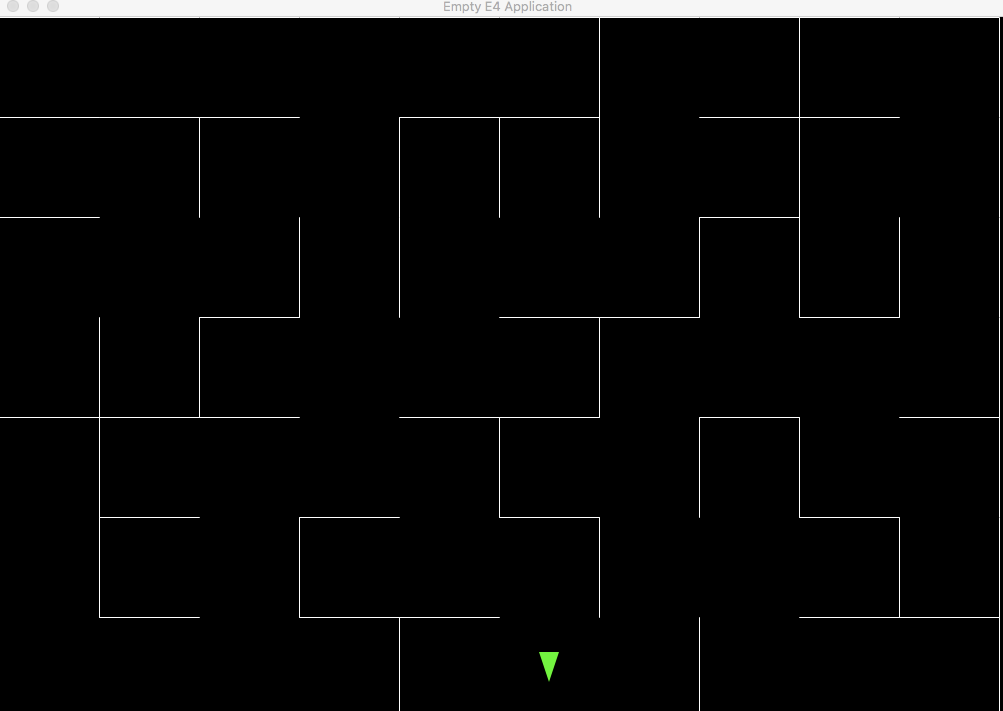
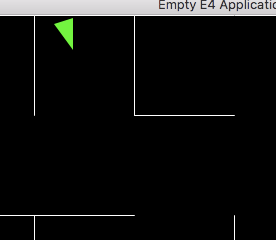
After much faffing about with trigonometry and such, I realised I didn’t need the mouse to have any senses, since it can detect walls perfectly well by running into them. Then I spent way too much time figuring out how to stop the mouse running straight through the walls of the maze. Finally, I’ve got a basic mouse which is confined by the maze but can move around. Mostly, it fails to go anywhere.

Stuck in a dead end, as usual

The next stage is to start giving the mouse more interesting behaviour by giving it a memory, which will allow it to respond more intelligently to hitting a wall.

The Bug Brain

The first project is very simple, and more about getting me coding again than accomplishing anything too exciting.

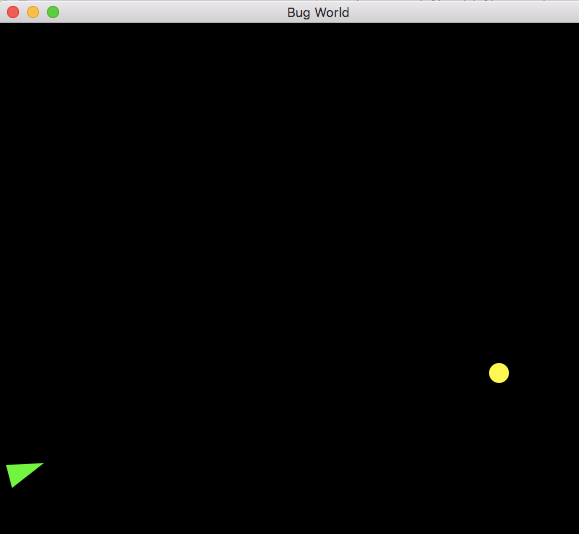
There’s a basic Eclipse RCP UI, which renders the ‘world’ on a Canvas:

The world is simply a rectangle containing a single light source (the yellow circle) and one bug (the green triangle). The flat end of the triangle is the bug’s head, the sharp end is the tail.

The main classes are:

  • World – which contains everything
  • Bug – representing a bug
  • Brain – the bug’s brain, responsible for handling sense data and deciding on its behaviour

The ‘brain’ in this case is very basic. In the past, I’ve implemented a version controlled by a neural net and a genetic algorithm that breeds new bugs to optimise their behaviour, but for now, I’ve just hard-coded the simple goal of turning away from the light and moving forward until a wall is reached.

The bug’s brain runs on its own thread, processing queued sense events in the order received.

First Steps

Initially, I decided to work in Python, because I know there are good resources for machine learning and natural language processing, and it’s meant to be good for prototyping.

The only problem with that is, though I’ve played with Python a bit in the past, I’m not familiar with the language. So my first sessions were a frustrating exercise in getting nowhere slowly, with lots of Googling for examples and tutorials.

I decided to switch back to what I know well, which is Java and Eclipse, and that’s what I’ll use for the first experiment, which is Bug World.

Bug World is a very simple exercise which allows explorations of the concepts of sense data, actions, and goals. The ‘brain’ in this case is minimal, but the basic architecture should be transferrable to be more complex projects.

Design a site like this with WordPress.com
Get started